
What Is Timeline Visualizer? Meaning, Uses and How It Works
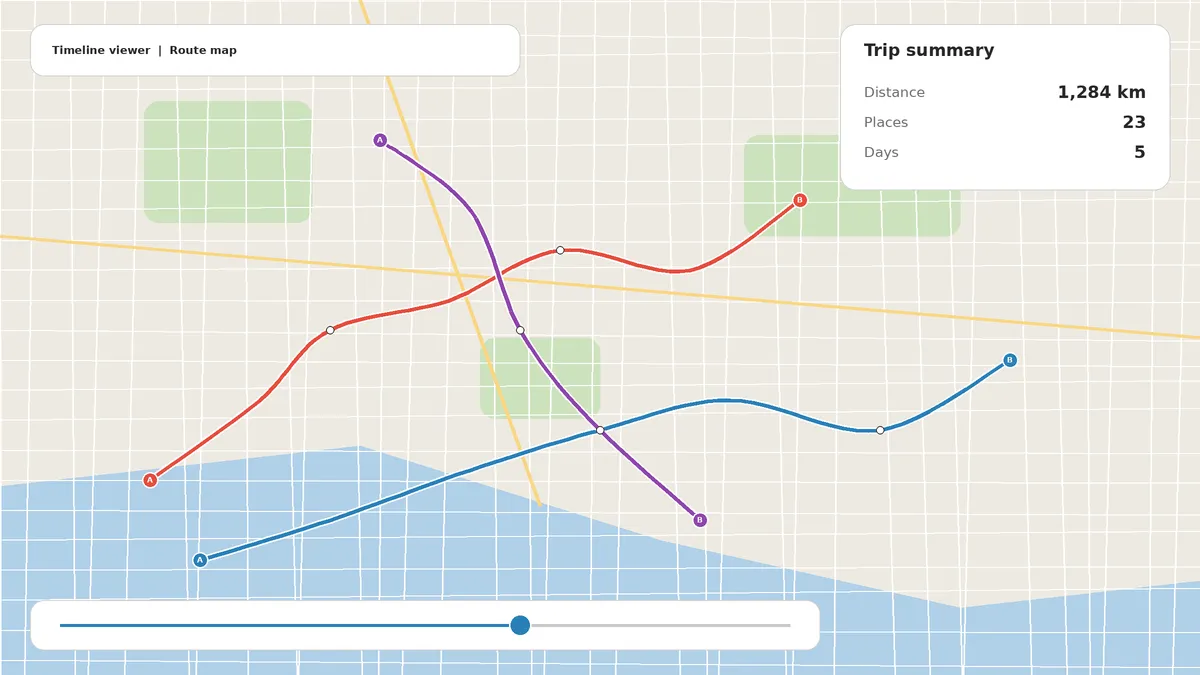
If you keep seeing the name in search results, on social media or in tutorials, you are probably asking the same question many people ask: what is timeline visualizer, and do I need it? In short, it is a tool that takes your exported Google Maps Timeline data and turns it into something you can actually see, such as an interactive map, a day-by-day route or an animated travel video.
This guide explains the meaning of the term, how a timeline visualizer works, what you can do with one, whether it is safe, and how to start in a few minutes. It also clears up the common confusion between “visualizer” and “visualiser“, between web versions and APK files, and between this tool and other kinds of “timeline” software.
Quick Answer: What Is Timeline Visualizer?
A timeline visualizer is a tool that reads the location history file exported from Google Maps Timeline (usually a JSON file) and displays it as a map, a set of routes or a video.
Your phone records where you go if Timeline is switched on. That record is useful, but in its raw form it is a long text file full of coordinates and timestamps. A timeline visualizer converts that text into a visual story of your places, trips and distances.
The Meaning of the Term “Timeline Visualizer”
The name has two parts.
- Timeline: in this context, Google Maps Timeline, the private record of the places you visit and the routes you travel. Indonesian users know it as linimasa, and in many other languages it has its own local name.
- Visualizer: a program that takes data and shows it as a picture, chart, map or animation.
Put together, a timeline visualizer is simply software that makes your location timeline visible. Some versions focus on viewing your history on a map. Others focus on creating a short animated video of a journey. Many do both.
Timeline Visualizer vs Timeline Visualiser: You will see both spellings. “Visualizer” is American English and “visualiser” is British English. They mean exactly the same thing, and people search for both.
Why Do People Need a Timeline Visualizer?
Until recently, Google Maps let you browse your Timeline on a website. Today your Timeline is stored on your own device, and the main way to get a full copy is to export it as a file. That file is not meant to be read by humans.
A typical export contains:
- Thousands of latitude and longitude points
- Start and end times for every visit and trip
- Activity labels such as walking, driving, cycling or flying
- Place IDs and confidence values
Opening that file in a text editor tells you almost nothing. A timeline visualizer solves three problems at once:
- It makes the data readable. You see places and routes instead of numbers.
- It lets you explore by date. Jump to a single weekend, month or year.
- It makes your data shareable. A route video is far easier to post than a JSON file.
How Does a Timeline Visualizer Work?
Although tools differ, the process is nearly always the same.
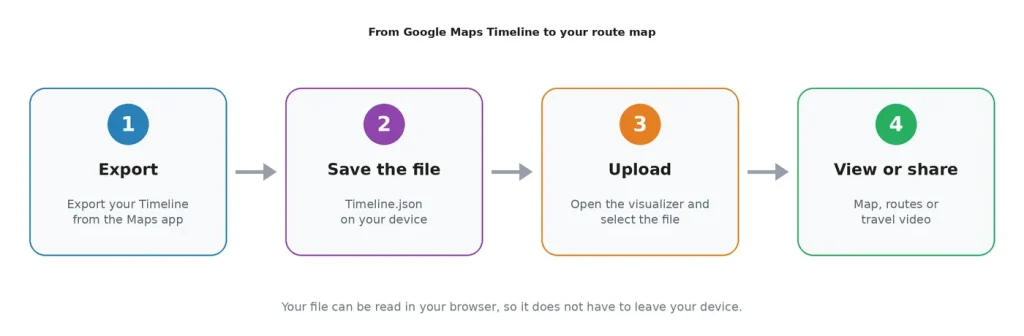
Step 1: You Export Your Google Timeline
Open Google Maps on your phone, go to your profile, open Your Timeline and use the export option in the Timeline settings. Menu labels change from time to time, so look for the Timeline settings if yours differ.
Step 2: You Upload the File
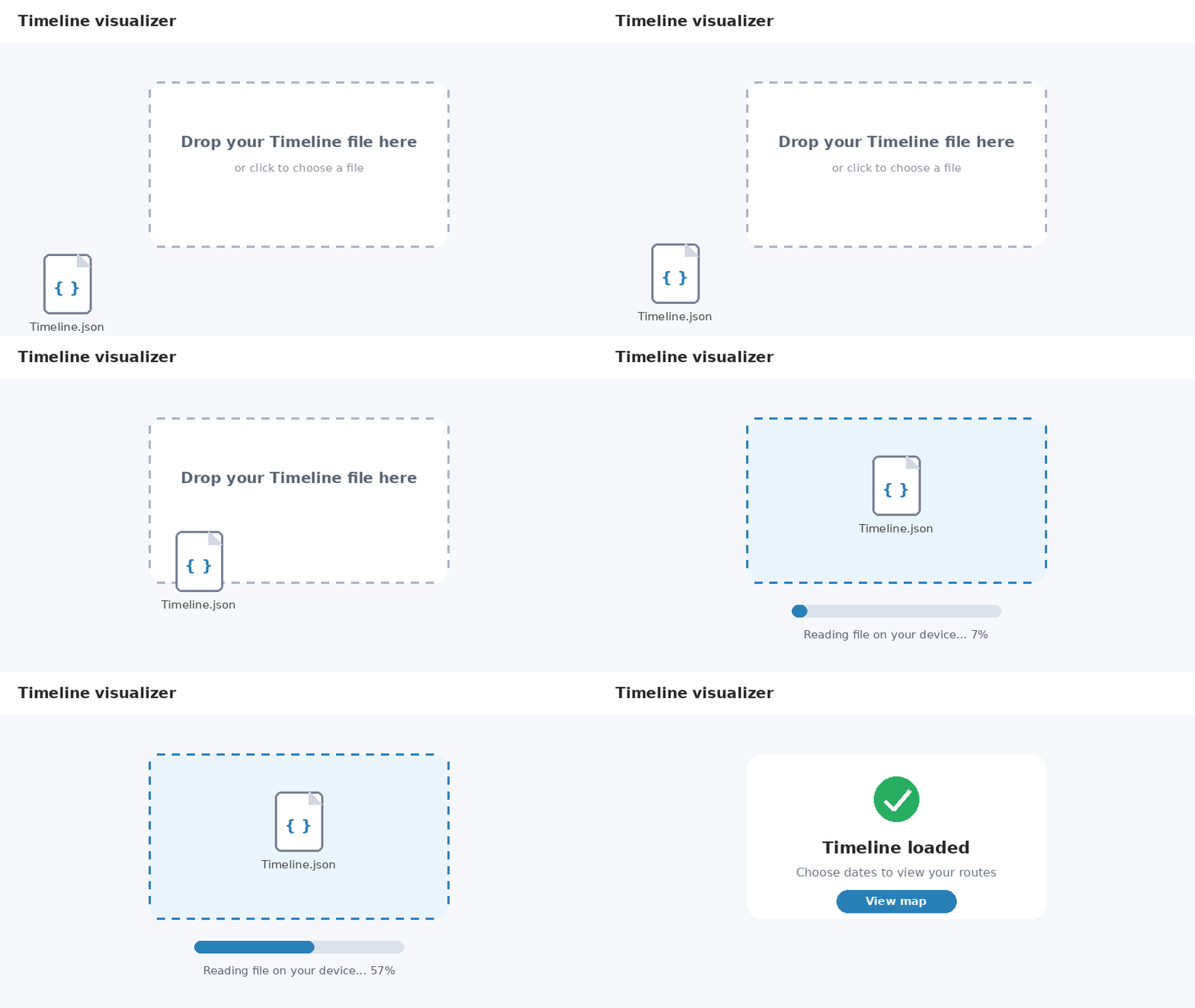
You open the timeline visualizer in your browser or app and select the exported file. Common file names include Timeline.json, location-history.json and Records.json.
Step 3: The Tool Reads and Organizes Your Data
The tool parses the file and groups your data into visits (places where you stayed) and activities (movement between places). It then works out routes, distances and dates.
Step 4: You Choose a Period and a Style
You pick the dates you want to see, such as one trip, one month or a whole year, and choose how to display them. Depending on the tool, this might be a static map, an interactive viewer or a rendered video.
Step 5: You View, Download or Share
You explore the map, or you render a video and save it to your device. Vertical 9:16 works best for TikTok, Instagram Reels and YouTube Shorts, while 16:9 suits YouTube and presentations.
What Can You Do With a Timeline Visualizer?
View Your Google Timeline on a Map
The most basic use is seeing your history on a real map. You can zoom into a city, follow a route from start to finish and check where you were on a specific day.
Create an Animated Travel Video
Many people use a timeline visualizer to create a short clip in which a route draws itself across the map behind a moving marker. These clips are popular for holiday recaps and travel content.
See Distance, Places and Countries
Good tools calculate how far you travelled and how many places or countries you visited. Those numbers make a great recap card for a yearly review.
Relive Road Trips and Flights
Road trips look impressive when every stop and detour is drawn on the map. Flights can be shown as curved arcs rather than straight lines, which looks more natural on a globe.
Keep a Personal Travel Journal
Some people export their Timeline once a year and keep the videos as a visual diary. It is a simple way to keep memories that don’t depend on a social media account.
Types of Timeline Visualizer
Not every timeline visualizer works the same way. Here are the main kinds you will meet.
| Type | How it works | Best for |
| Web tool | Runs in your browser, with no installation | Quick use on any phone or computer |
| Android app or APK | Installed on an Android device | People who want an app on their phone |
| Open-source project | Code you can read, run and host yourself | Developers and privacy-minded users |
| Desktop viewer | Software installed on a PC or Mac | Very large histories |
Who Uses a Timeline Visualizer?
- Travellers and content creators who want route videos for social media
- Road trippers and hikers who want to replay a journey
- Digital nomads and expats who want to see how their months were split between places
- Families who want to turn a reunion or a first trip abroad into a keepsake
- Curious users who simply want to know where they have been
- Developers and data fans who like working with location data
A timeline visualizer is a convenient reference for personal use. It is not legal proof of where you lived or worked, so check tax and residency rules with a professional.
Is a Timeline Visualizer Free and Safe?
Is It Free?
Many are free to use. Some offer optional paid extras such as extra map styles or custom branding. Always read what is free before you start.
Is It Safe?
Location history is highly personal, so safety matters. Before you use any tool, check these points:
- Where is the file processed? The safest tools read your file in your own browser or on your own device and never upload it.
- Does it ask for an account or location permission? If you only need to open a file, you usually should not have to.
- Is it open source or clearly documented? Transparency makes it easier to trust.
- Where did you get it? Download apps only from Google Play or a verified developer page. Avoid “mod” APKs and links from random videos or comments.
Timeline Visualizer vs Other “Timeline” Tools
The word “timeline” appears in many unrelated products. A timeline visualizer for Google Maps Timeline is not the same as:
- Project timeline software for planning tasks and deadlines
- Video editing timelines in programs such as editing suites
- Forensic timeline viewers used in digital investigations
- Chart templates in Excel or PowerPoint
Limitations You Should Know About
- Your data must exist. If Timeline was off, or old data was auto-deleted, there is nothing to show.
- Accuracy depends on Google. Visits and routes can be wrong or missing, especially indoors or with a weak signal.
- Formats change. Google updates how it exports data, so older tools can stop working.
- Large files need a good device. A multi-year history can be slow on an older phone, so a computer helps.
How to Get Started in 5 Minutes
- Make sure Timeline is turned on in Google Maps.
- Export your Timeline file from the Google Maps app.
- Open the timeline visualizer homepage in Chrome, Safari, Edge or Firefox.
- Upload your file and choose a period.
- Explore your map or create and download your travel video.
Before you post a video publicly, hide your home and other frequent places.
Frequently Asked Questions
What is timeline visualizer in simple words?
It is a tool that turns your exported Google Maps Timeline file into a map or a travel video, so you can see where you have been without reading raw data.
What does timeline visualizer mean in Indonesian (timeline visualizer adalah)?
It is a tool that visualizes your linimasa (Google Maps Timeline) as a map or video. The word linimasa simply means “timeline”.
Is timeline visualizer free?
Many versions are free, but features and pricing vary. Check the tool’s page before you start.
Is timeline visualizer safe?
It can be, if the tool processes your file on your own device and you download software only from trusted sources. Avoid modified APKs.
Do I need to install an app or APK?
Usually not. A web version works in your phone’s browser. If you install an app, use Google Play or a verified developer page.
Does it work on iPhone and Android?
Yes. Web versions work on both, and some tools also have an Android app. See our guides for iPhone and Android.
What file do I need to upload?
Usually a JSON file such as Timeline.json or location-history.json, exported from Google Maps.
Why is my file empty or not loading?
Timeline may have been off, the wrong account may have been used, or the file may be incomplete.
Is a timeline visualizer made by Google?
No. Independent developers make these tools, and they are not affiliated with Google unless clearly stated.
What is the difference between timeline visualizer and timeline visualiser?
Nothing. The first is American spelling and the second is British spelling.
Can I make a video without Timeline data?
Some tools can build a route from the location and time stored in your photos.
Can I use it on a computer?
Yes. Windows, Mac and Linux all work with a current browser, and a bigger screen is better for long histories.
Conclusion
So, what is timeline visualizer? It is the simplest way to turn the location history your phone has quietly recorded into something you can see, explore and share. It converts an unreadable JSON export into a map, a set of routes or a short animated video, all without needing an account when you use a privacy-first web version.
To get the best result, turn on Timeline, export your file regularly, choose a tool that processes data on your device and hide your home before sharing anything publicly.